
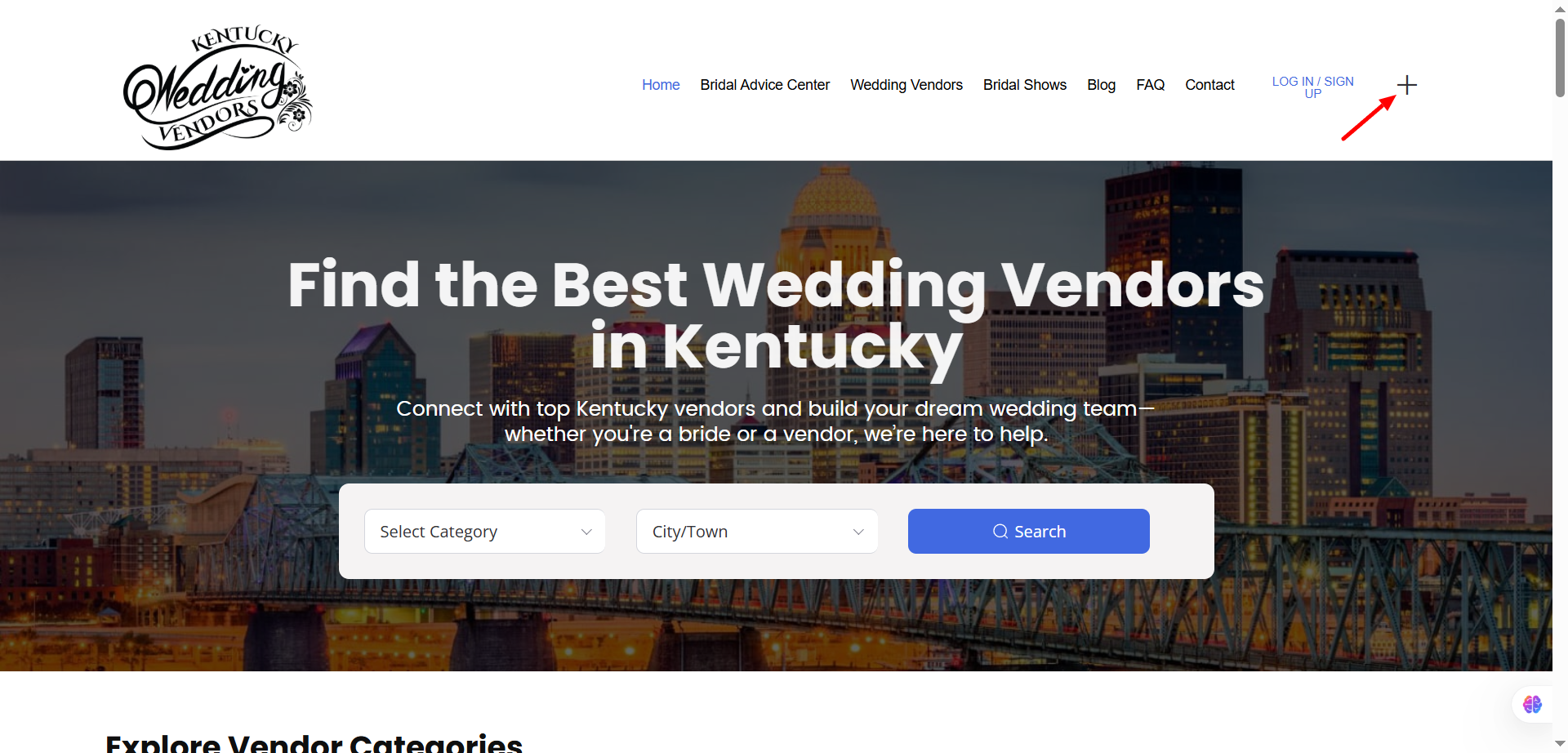
Click the “+” icon on the homepage and select ‘create vendor’. Choose the Vendor role, fill in your business information, and set your password. You’ll receive an email confirmation — click the link to activate your account.
You’ll need your business name, contact email, phone number, category (e.g., florist, planner, photographer), and a short description of your services. You can always add more details later through your dashboard.
Go to the Login page and click Forgot Password. Enter your email address, and we’ll send you a password reset link.
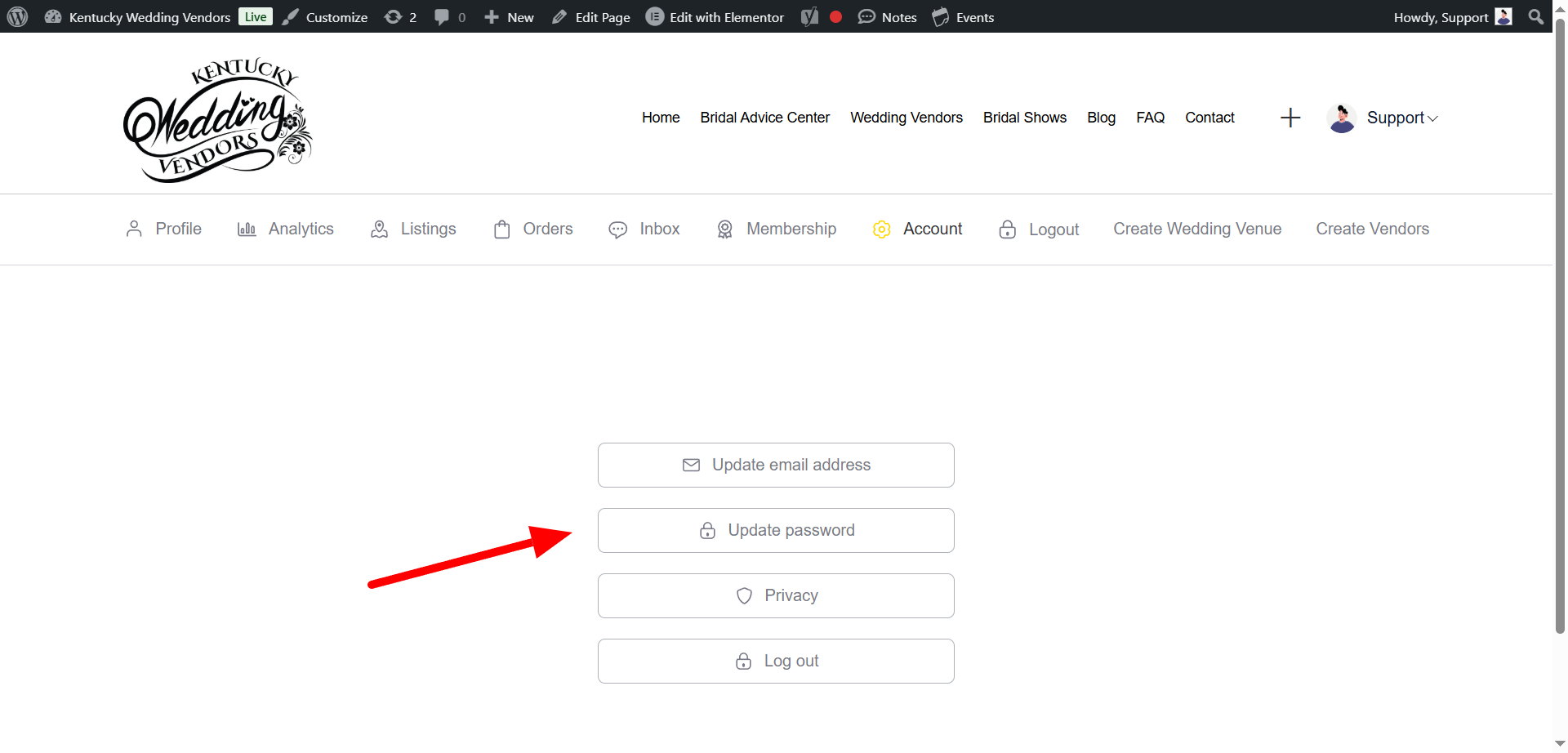
Go to the Login page- https://kentuckyweddingvendors.net/auth/ and click update email address.
From your vendor dashboard, go to Profile → Edit → Media Section, then click Upload Logo or Change Photo. Recommended size: 500x500px (square format works best).
📸 Tip: You can add a short banner image too for a more branded look.
Currently, only one main login is allowed per account. However, you can share access with team members if needed — just note that all changes will reflect under the same business profile.
Please contact support from your dashboard. Once deleted, all listings, analytics, and messages will be permanently removed.
Click the “+” icon on the homepage and select ‘create vendor’, set your password.. Choose your business category (e.g., Wedding Planner, Makeup Artist), then fill in your details — description, address, photos, and services. Click Publish, and your listing will appear once approved
Add high-quality photos, your logo, detailed service descriptions, pricing range, and social media links. Use keywords like “Barbourville wedding photographer” or “luxury event planner” for better search visibility.
Yes, you can. Go to your Dashboard → Add New Listing for each business. Each listing will have its own details, photos, and category.
Simply repeat the Add Listing process — your dashboard supports multiple listings under one vendor account.
From Dashboard → My Listings, click the Edit icon next to your listing. Make your updates, then click Save Changes.
Edit your listing and scroll to the Location & Contact section. Update the map pin or text address, and save. The map updates automatically.
Yes. Go to the Business Hours tab while editing your listing. You can add open/close times for each day or mark specific days as “closed.”
In your listing editor, go to Media → Upload Gallery Images or Video URL. You can upload JPEG/PNG files (under 5MB) or embed a YouTube video link.
Open your Media tab and click the small trash icon on any photo you wish to remove.
As often as you like! Updates go live instantly once saved — there’s no limit.
If your business is already listed on the website, you can claim the listing so you can manage and update your profile. Follow the steps below:
Go to the listing page of your business.
Click the “Claim Listing” or “Is this your business?” button.
Select a vendor package (Free or Paid depending on your preference).
Create or log into your vendor account.
Submit your proof of ownership (such as website URL, email, or business document).
Once approved, you’ll be able to edit your listing directly from your dashboard.
If you need help claiming your listing, please contact support here:
https://kentuckyweddingvendors.net/contact/
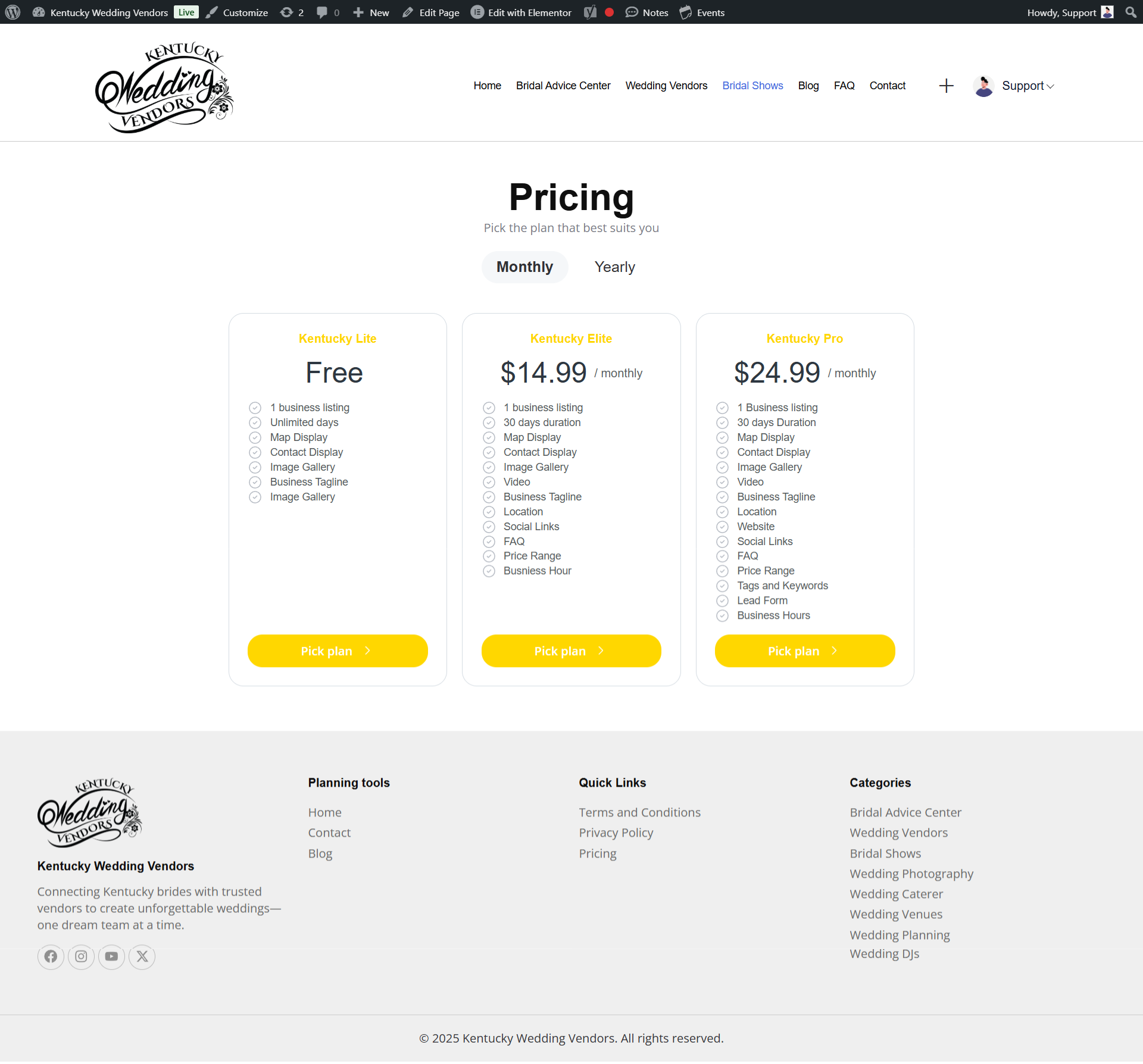
Free listings include basic visibility. Paid plans unlock premium features like homepage placement, social promotion, more photo uploads, and direct inquiries from couples. Check full details on the pricing page- https://kentuckyweddingvendors.net/pricing/
Go to the pricing page- https://kentuckyweddingvendors.net/pricing/. Choose your plan, and complete payment. You have the option to either select the monthly payment option or the yearly payment option
Yes! You can upgrade anytime. You’ll only pay the price difference between your current plan and the new one.
Contact support to downgrade at your next billing cycle. Some premium features may be removed from your listing afterward.
Refunds depend on your plan’s terms. Generally, partial refunds are not offered once the listing has been published, but exceptions may apply for technical errors.
You’ll receive an email reminder before your plan expires. You can enable auto-renewal.
Your listing remains visible but with limited features. It won’t show in premium placements until renewed.
Yes, both PayPal and major cards (Visa, MasterCard, etc.) are accepted.
Absolutely. All transactions are encrypted and processed securely through PayPal.
Yes. You’ll receive an invoice via email, and you can also download it from Dashboard → Billing History.
Use detailed descriptions, include your service keywords, and upload professional photos. Higher-tier packages and regular updates also improve visibility.
Yes, premium listings are given priority placement in search results and on featured sections of the homepage.
Upgrade to a Kentucky Pro- https://kentuckyweddingvendors.net/pricing/ package or participate in seasonal promotions announced via our newsletter.
Yes, featured vendors are occasionally promoted on our Instagram and blog — you can also share your listing link directly to social platforms.
In your listing editor, include relevant keywords (e.g., “bridal makeup artist in Louisville”) in your description and title.
Of course! Each vendor has a unique shareable URL — copy it from your dashboard and send it to clients.
Yes, your listing is SEO-optimized. Over time, it can appear on Google search results for relevant wedding service keywords.
When adding your listing, select the category that best describes your service (e.g., Photographer, Venue, Caterer). You can also add subcategories.
Yes,the platform allows you to select more than one category to improve visibility.
In the Tags field of your listing editor, type your custom service keywords and press enter.
Yes. Use the Pricing section to list package tiers, starting prices.
Yes — you can add links to Instagram, Facebook, TikTok, or your website under Contact Info.
Yes, upload client photos or add testimonials in your Description or Gallery section.
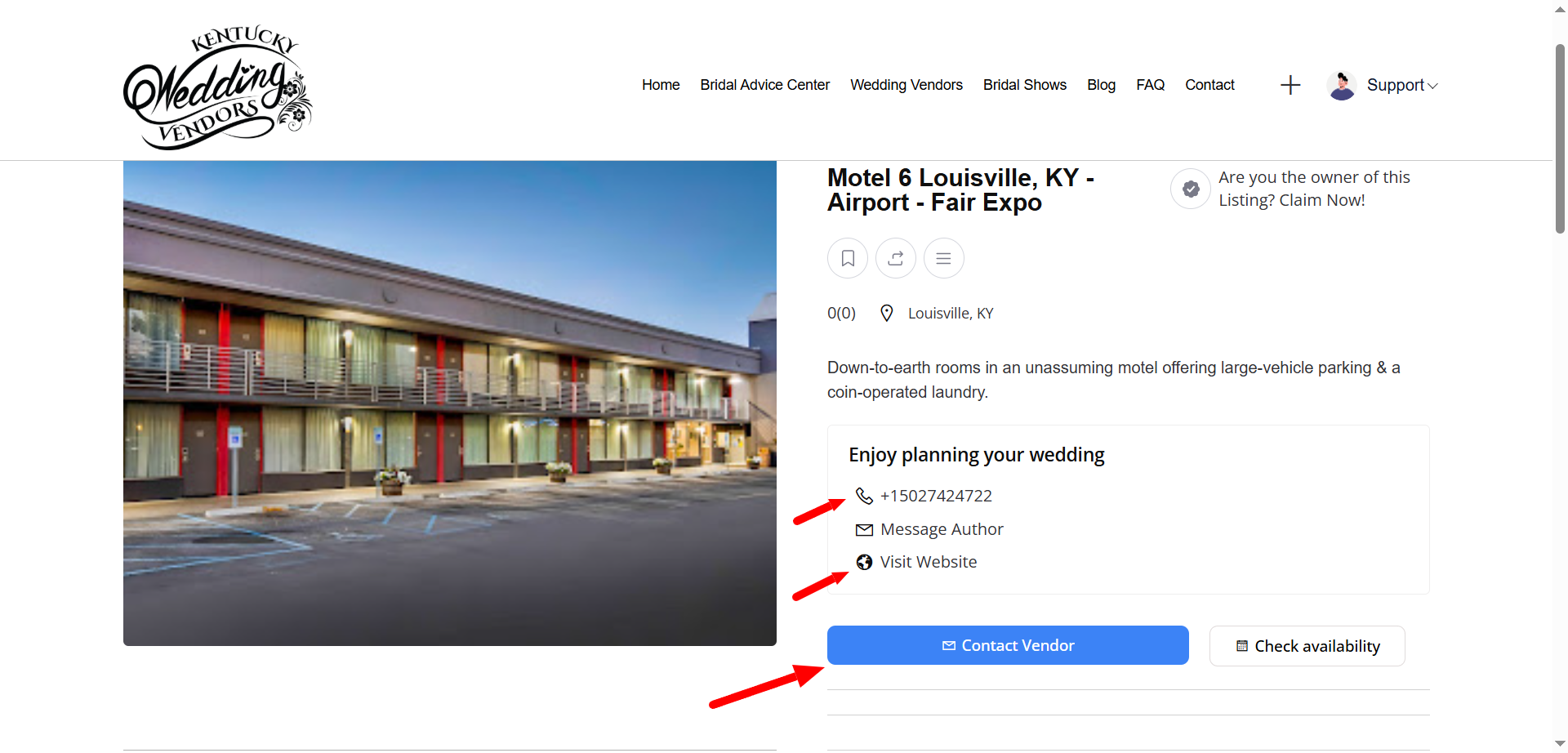
Couples can reach you through the Contact Vendor or via your website link n on your listing. Messages go directly to your vendor dashboard and your registered email.
Go to Dashboard →Inbox. You’ll see all client messages there, organized by most recent
Go to Dashboard → Inbox. You’ll see all client messages there, organized by most recent
After completing a wedding service, share your vendor page link and ask clients to leave a review under the Reviews tab.
After completing a wedding service, share your vendor page link and ask clients to leave a review under the Reviews tab.
Contact support. We’ll block the sender if it’s spam.
Notifications are sent to your dashboard and email. You’ll also see a red alert badge when new messages arrive.
Yes. Go to Dashboard → Settings → Notifications and toggle off email alerts.
From the same settings area, you can choose whether to receive alerts for messages, reviews, or package renewals.
Yes. You’ll receive a reminder email a few days before your package expires.
Use 1200x800px images for best quality. Keep file sizes under 2MB to avoid slow loading.
Yes. Paste a YouTube or Vimeo link under the Video URL field in your listing editor.
Ensure the image size is below 2MB, in JPG/PNG format, and you’re using a stable internet connection
After uploading, simply drag and drop the images into your preferred order in the gallery editor.
Check that your listing is Published (not Draft). If it’s still not visible, clear your browser cache or contact support.
This may happen if payment verification is delayed. Wait a few minutes, or contact support with your transaction ID.
Optimize your images (under 2MB each) and ensure you have a stable internet connection. Also check that your browser isn’t blocking media scripts.
Try refreshing your browser or clearing cache. The site is mobile-responsive, so display issues are often temporary.
Email our support team directly- https://kentuckyweddingvendors.net/contact/
Email our support team directly- https://kentuckyweddingvendors.net/contact/
Yes. Go to your Dashboard → My Listings, click Duplicate, and edit the new copy as needed.
Currently, direct import isn’t supported — but you can manually copy and paste your details for accuracy.
Yes, add your social links under Social Media Handles.
Yes — paste the video or virtual tour link in the Video URL section of your listing.
You’ll receive an email and dashboard alert before expiration.
Your listing remains visible but inactive — it won’t appear in searches or premium spots
No, it will move to “Expired” status. You can reactivate it later.
Yes! Go to Dashboard → My Listings, choose the expired listing, and click Renew.
Upgrade to a Kentucky Pro- https://kentuckyweddingvendors.net/pricing/ plan or participate in promotional campaigns.
Yes. You can advertise your business banner or listing placement for increased exposure. Reach out to the support team
Yes! We occasionally organize community collaborations, bridal showers etc.
Your public listing shows your business name, location, and contact form. Email and phone visibility depend on your privacy settings.
No. We never sell or share vendor information without consent.
Reach out to the support team if you would like to enable this option
We use SSL encryption and secure payment gateways. You can also enable two-factor authentication.
Check the website for the Join Newsletter button
Yes, we spotlight top vendors, wedding trends, and new services regularly.
We’d love that! Send your story through the Contact Us page
Yes, both virtual and in-person events. Announcements go out via email and social media.
Yes. We provide a quick-start video and guide in your dashboard to help you set up.
Use the Live Chat Widget on your dashboard or email our team.
Typically within 24–48 hours, depending on request volume.
Go to Dashboard → Billing → Transaction History.
Yes! We offer one-on-one support for design or setup tweaks.
